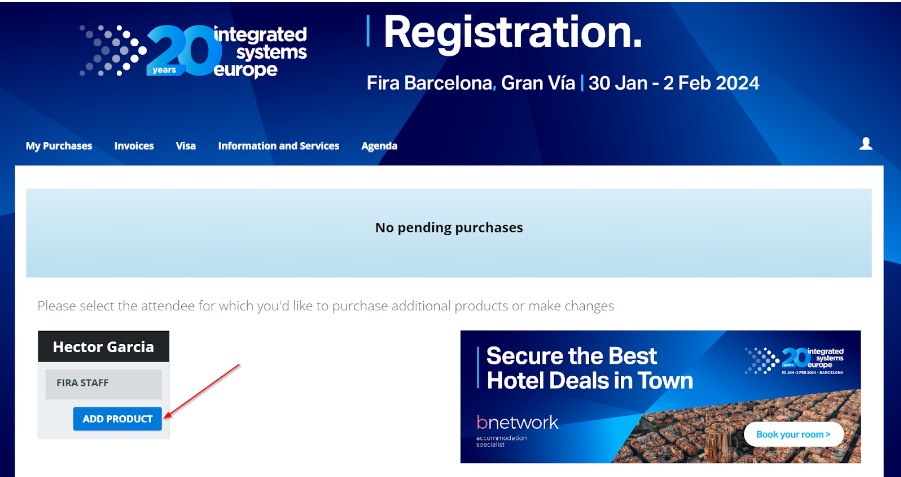
At the ‘My Purchases’ tab there is a button to ADD PRODUCT
By clicking the ADD PRODUCT button the system will display the conference shop and the process is the same as the registration.
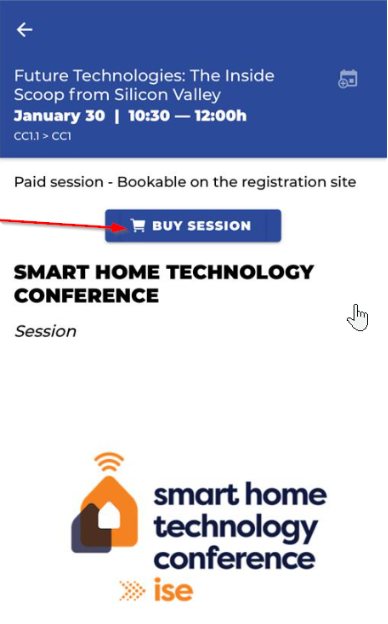
From the App: click on the AGENDA tile, select the desired Conference and click BUY SESSION button:
Conference info (App)
Users can see all conferences from the Agenda Section of the App.
By entering on the sessions’ detail, visitors will be able to see if the conferences are free or paid and if they require to be booked beforehand (only for paid sessions and some free sessions).
There are 3 types of sessions:
Paid sessions (visitor must go to registration and purchase the sessions)
Free sessions – booking required (visitor must go to registration and book the session)
Free sessions – first come first serve (free access until the capacity is full).